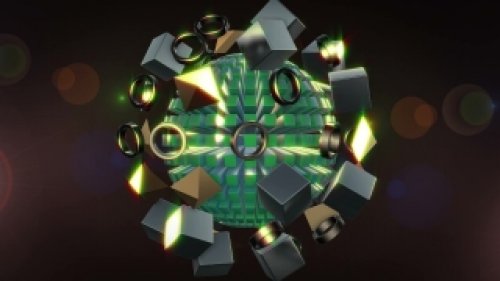
Introduction to Digital Particle Art
Digital particle art has emerged as a powerful medium for creating mesmerizing visuals that captivate audiences across various platforms. This innovative form of abstract animation uses particle systems to simulate complex phenomena like smoke, fire, and cosmic visuals. In 2026, two of the most prominent software solutions for creating digital particle art are Adobe After Effects and Blender. Each platform offers unique features, capabilities, and workflows, making it essential for artists and animators to understand their options. This article provides a side-by-side comparison of Adobe After Effects and Blender, focusing on their strengths, weaknesses, and ideal use cases for digital particle art.
Adobe After Effects: Features and Capabilities
Adobe After Effects is a staple in the motion graphics industry, widely praised for its robust toolset and user-friendly interface. One of the standout features of After Effects is the powerful particle system known as CC Particle World. This tool allows users to create and manipulate particles with precision, enabling the simulation of various effects such as rain, snow, and explosions. Moreover, After Effects integrates seamlessly with other Adobe Creative Cloud applications, allowing artists to leverage assets from Photoshop and Illustrator easily.
Additionally, After Effects supports a vast array of plugins, such as Trapcode Particular, which enhances its particle generation capabilities. This plugin offers advanced control over particle properties, including shape, color, and behavior, providing artists with an unparalleled level of customization. Users can create intricate particle animations with ease, making After Effects ideal for creating stunning visual effects for films, commercials, and promotional content.
However, the learning curve for After Effects can be steep for beginners, especially when diving into complex particle systems. Furthermore, as a subscription-based service, the cost can accumulate over time, potentially deterring some users. Despite these drawbacks, After Effects remains a top choice for motion graphics artists, thanks to its versatility and extensive community support.
Blender: Features and Capabilities
Blender, an open-source 3D creation suite, has gained traction in the motion graphics community for its powerful capabilities and zero-cost access. One of Blender's standout features is its built-in particle system, which allows for the creation of realistic simulations of particles interacting with physical forces, such as gravity and wind. The software’s node-based compositor enables artists to create intricate visual effects without the need for additional plugins, offering a high level of customization and flexibility.
In addition, Blender provides a comprehensive suite of tools for modeling, sculpting, and texturing, making it an excellent choice for artists looking to integrate particle art with 3D elements. The software supports advanced rendering engines, including Cycles and Eevee, which allow for real-time visualization and high-quality outputs. This versatility makes Blender suitable for a wide range of projects, from short films to video game development.
However, Blender's interface can be daunting for newcomers, as it differs significantly from traditional animation software. The complexity of its features, while powerful, may require a more extended learning period for users accustomed to simpler platforms. Additionally, while Blender has an active community, the availability of tutorials and resources may not be as extensive as those for After Effects. Despite these challenges, Blender's combination of advanced features and zero-cost access makes it a compelling choice for artists and animators.
Comparative Analysis: Workflow and Usability
| Feature | Adobe After Effects | Blender |
|---|---|---|
| User Interface | Intuitive but complex for beginners | Powerful but can be overwhelming |
| Particle System | CC Particle World & Plugins | Built-in Particle System |
| Integration with Other Tools | Excellent with Adobe Suite | Limited external integration |
| Cost | Subscription-based | Free and open-source |
| Community Support | Extensive resources available | Active but less comprehensive |
The workflows of Adobe After Effects and Blender differ significantly. After Effects is often preferred for projects that require quick turnaround times, thanks to its intuitive timeline and layer-based structure. The software excels in integrating 2D elements, making it an ideal choice for motion graphics artists focusing on animation and visual effects. Users can easily create compositions and apply effects in a non-destructive manner, allowing for efficient experimentation.
On the other hand, Blender's workflow centers around a more holistic approach to 3D content creation. Artists can model, texture, and animate within a single environment, making it ideal for projects that require a blend of 3D particle art and traditional animation. However, this comprehensive approach can lead to a steeper learning curve, especially for those new to 3D software. Additionally, the lack of integration with other software can pose challenges for artists looking to incorporate assets from different applications.
Final Thoughts: Which Software Should You Choose?
Choosing between Adobe After Effects and Blender for digital particle art ultimately depends on your specific needs and project requirements. If you are focused on 2D animations and require a fast workflow with robust community support, After Effects may be the better option. Its extensive range of plugins and integration with the Adobe Creative Suite allows for a seamless experience, making it a favorite among professionals in the motion graphics industry.
Conversely, if you are looking to explore the realms of 3D animation and want a cost-effective solution with powerful features, Blender is an excellent choice. Its open-source nature and comprehensive toolset enable artists to create intricate particle art and integrate it with other 3D elements. While the learning curve may be steeper, the rewards of mastering Blender can be significant, especially for those aiming to push the boundaries of digital art.
In conclusion, whether you choose Adobe After Effects or Blender, both software options provide powerful capabilities for creating stunning digital particle art. Assessing your project goals, budget, and preferred workflow will guide you in making the right decision for your creative journey in 2026 and beyond.