Understanding Abstract Animation: Techniques and Concepts
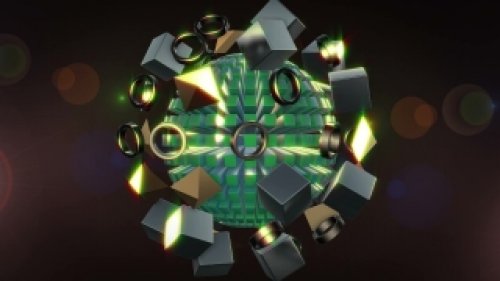
Abstract animation has evolved into a unique art form that transcends traditional storytelling. It focuses on visual expression rather than narrative, allowing artists to explore concepts, emotions, and ideas through movement and color. In 2026, the tools and techniques for creating such animations have become more accessible and sophisticated, enabling creators to push the boundaries of their craft. In this section, we will delve into foundational concepts and advanced techniques that every motion designer should master.
To start, understanding the principles of animation—such as timing, spacing, and easing—is crucial in creating fluid abstract forms. Timing refers to the number of frames used for a particular movement; a higher frame count provides smoother animation, while fewer frames create a more choppy, stylized effect. Spacing involves how far apart keyframes are placed; wider spacing can create a sense of rapid movement, while tighter spacing can slow down the animation. Easing, on the other hand, determines how an object accelerates and decelerates, which enhances the overall feel of the motion.
Color theory also plays a pivotal role in abstract animation. The intentional use of colors can evoke emotions and set the mood of your piece. For instance, warm colors like reds and yellows can create feelings of excitement or urgency, while cool colors like blues and greens can evoke calmness or melancholy. Additionally, exploring different color palettes can help in defining the visual identity of your animation. Tools like Adobe Color can assist in generating harmonious color schemes that resonate with your artistic vision.
Finally, integrating sound design is essential for creating a fully immersive experience. Sound can enhance the emotional weight of your visuals and provide rhythmic cues that synchronize with your animation. Whether you're using ambient sounds or rhythmic beats, the audio component should complement the visual elements seamlessly. In the next section, we'll explore the software and tools available for creating abstract animations in 2026.
Essential Software for Abstract Animation in 2026
As technology advances, various software tools have emerged to assist motion designers in creating stunning abstract animations. Understanding the strengths and weaknesses of each platform is crucial for selecting the right one for your project. This section evaluates some of the top software options for abstract animation in 2026, including Adobe After Effects, Blender, and Cinema 4D.
Adobe After Effects remains a powerhouse for motion graphics and animation. Its comprehensive set of features, including keyframing, advanced compositing, and a plethora of plugins, makes it a go-to choice for many professional motion designers. After Effects excels in creating 2D abstract animations, with its robust layering system allowing for intricate designs. The integration of tools like Duik and Red Giant Universe enhances functionality, providing designers with additional capabilities for rigging, character animation, and effects.
Blender, a free and open-source 3D creation suite, has gained immense popularity among motion designers for its versatility. It supports the entire 3D pipeline, including modeling, animation, rendering, and compositing. Its powerful simulation features allow for creating dynamic abstract visuals, such as fluid simulations and particle effects, which can add depth and complexity to your animations. Moreover, Blender's community-driven development ensures that it continues to receive regular updates and new features.
Cinema 4D is another industry-standard software that excels in motion graphics, particularly with its MoGraph toolset. It offers an intuitive interface and powerful capabilities for creating 3D abstract animations. The ease of use combined with advanced features such as procedural animation and the ability to create complex particle systems makes Cinema 4D a favorite among professionals looking to produce high-quality abstract visuals. In the next section, we will outline effective workflows for creating abstract animations using these software tools.
Step-by-Step Workflows for Creating Abstract Animations
Developing a cohesive workflow is essential for efficient production of abstract animations. Below, we outline a comprehensive step-by-step guide tailored for Adobe After Effects, Blender, and Cinema 4D, covering the key stages of the animation process from conception to final export.
Workflow for Adobe After Effects
- Concept Development: Begin with brainstorming ideas and creating a mood board. Use tools like Pinterest or Milanote to gather inspiration.
- Design Elements: Create your graphics using Adobe Illustrator or directly within After Effects. Make sure to use vector graphics for scalability.
- Animation Setup: Import your graphics into After Effects and create a new composition. Set your frame rate and resolution according to your project requirements.
- Keyframing: Start animating your elements using keyframes. Focus on timing and easing to ensure smooth transitions. Utilize the Graph Editor for fine-tuning your animation.
- Effects and Enhancements: Apply effects from the Effects & Presets panel, experimenting with color grading and additional layers to enrich your animation.
- Audio Integration: Import your audio track and sync it with your animation. Use markers to align key moments in your visuals with audio cues.
- Export: Choose the appropriate codec for your final output. Use the Adobe Media Encoder for optimized settings based on your distribution platform.
Workflow for Blender
- Initial Setup: Open Blender and create a new project. Set your render settings according to your desired output resolution and frame rate.
- Modeling: Use Blender’s modeling tools to create 3D shapes and objects. Leverage modifiers like Subdivision Surface to enhance the smoothness of your models.
- Animation: Set keyframes for your objects within the Timeline. Use the Dope Sheet for managing your keyframe timing effectively.
- Material and Lighting: Apply materials using the Shader Editor. Experiment with textures and colors to achieve your desired look, and set up lighting to enhance your scene.
- Rendering: Select your render engine (Eevee or Cycles) based on your project’s needs. Adjust render settings for optimal quality and performance.
- Post-Processing: Utilize Blender’s Video Sequence Editor for final adjustments, including color grading and audio syncing.
Best Practices for Abstract Animation and Final Thoughts
To excel in abstract animation, it’s important to adopt best practices that enhance both the quality of your work and your efficiency as a designer. First and foremost, always start with a solid concept. Abstract animation often thrives on spontaneity, but having a defined direction helps in maintaining coherence throughout the piece. Utilize sketching or storyboarding to visualize your ideas before diving into software.
Another best practice is to regularly seek feedback. Share your work-in-progress with peers or mentors to gain valuable insights and constructive criticism. This collaborative approach can lead to significant improvements and fresh perspectives on your animation.
Finally, keep experimenting with different techniques and tools. The world of abstract animation is constantly evolving, so keeping abreast of the latest trends and technologies will help you stay competitive. Platforms like YouTube, Skillshare, and online forums offer a wealth of tutorials and resources to enhance your skills.
In conclusion, abstract animation in 2026 offers a vibrant canvas for motion designers to express their creativity. By mastering advanced techniques, utilizing the right software, and following effective workflows, you can create stunning abstract animations that captivate audiences. Embrace the journey of exploration and continue to push the boundaries of your craft.