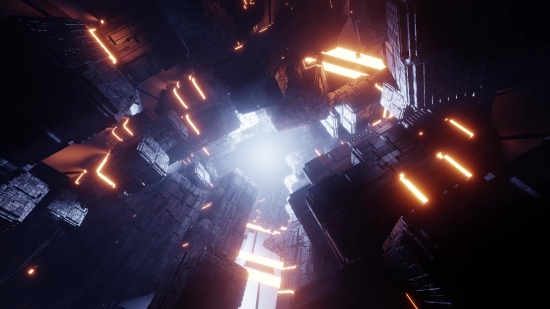
Introduction to Neon and Cyberpunk Aesthetics
Neon and cyberpunk visuals have transcended the boundaries of traditional digital art, captivating audiences with their vibrant colors and futuristic themes. This aesthetic draws inspiration from 1980s retro-futurism, urban landscapes, and technology-infused environments, making it a popular choice for filmmakers, animators, and designers alike. With the rise of digital art platforms and animation software, creators have more tools than ever to bring their cyberpunk visions to life. In this article, we will dive into the top 10 neon and cyberpunk visual tools available in 2026 that will elevate your abstract animation projects.
1. Adobe After Effects: The Industry Standard
Adobe After Effects remains a cornerstone in the world of animation and motion graphics. Its powerful compositing capabilities allow artists to create stunning neon visuals using a variety of plugins and effects. With features like the 'Glow' effect, you can easily create luminous neon elements that pop against dark backgrounds, a hallmark of the cyberpunk aesthetic. Additionally, the integration of third-party plugins such as Red Giant Universe and Video Copilot's Saber opens up a world of possibilities for adding neon effects and complex animations.
After Effects also supports advanced layering techniques, enabling creators to combine various elements into a cohesive scene. For example, animating light trails, glitch effects, and dynamic backgrounds can be done seamlessly within the software. Furthermore, with the recent updates in 2026, After Effects now includes enhanced GPU acceleration, significantly improving rendering times for complex projects. This means less downtime and more creativity at your fingertips.
To get started with neon effects in After Effects, consider using tutorials available online that cover the basics of compositing and animation. Once you master these skills, you can experiment with your own neon color palettes, motion paths, and layer styles to create unique visuals that resonate with the cyberpunk theme.
2. Blender: Open Source Flexibility
Blender has emerged as a powerful alternative for 3D modeling and animation, especially within the neon and cyberpunk genres. As an open-source software, it offers a wealth of features without the financial commitment associated with many proprietary tools. Blender's comprehensive set of modeling, rendering, and animation tools allows artists to create intricate 3D environments that can be illuminated with neon lights.
One of Blender's standout features is its Cycles rendering engine, which excels at producing realistic lighting effects. By using emission shaders, artists can simulate neon lights and the glow they produce in a 3D scene. Blender's node-based materials system provides full control over the color, intensity, and falloff of these lights, allowing for a high degree of customization.
Moreover, Blender’s Grease Pencil tool enables 2D animation within a 3D space, which is particularly effective for creating abstract animations that blend different styles. The ability to animate directly in the 3D viewport opens up new avenues for creativity, especially when experimenting with vibrant color schemes that characterize the neon aesthetic. Blender is not just a tool; it is a platform that fosters creativity and innovation in digital art.
3. Resolume: Real-Time Visual Performance
Resolume is a powerful application designed for live video performances and VJing, making it an essential tool for creators focusing on neon and cyberpunk visuals. Its real-time capabilities allow artists to manipulate video clips, effects, and layers on the fly, providing an exhilarating platform for live shows and installations. The software comes with a plethora of built-in effects and supports various plugins, enabling the creation of dazzling neon visuals that react to music and audience interaction.
One of the key features of Resolume is its ability to work with multiple layers of visuals and effects simultaneously. You can easily stack neon animations, background videos, and live camera feeds to create an immersive experience. The software also supports advanced mapping techniques, allowing artists to project their visuals onto unconventional surfaces and create stunning installations that captivate audiences.
For those looking to integrate Resolume into their workflow, consider exploring its extensive library of tutorials and community resources. Understanding how to use the software's MIDI and OSC capabilities can also enhance your live performances, allowing you to synchronize visuals with audio seamlessly, which is crucial for achieving that dynamic cyberpunk vibe.
4. Cinema 4D: 3D Motion Graphics Mastery
When it comes to creating high-quality 3D motion graphics, Cinema 4D stands out as a premier choice. Its intuitive interface and powerful modeling tools make it an ideal platform for artists looking to create intricate neon and cyberpunk designs. The software's MoGraph toolset allows for easy animation of objects and text, making it simple to produce eye-catching visuals that embody the cyberpunk aesthetic.
In addition, Cinema 4D's integration with After Effects enables a seamless workflow between 3D and 2D animations, which is essential for projects that require both elements. You can create stunning 3D neon signs and characters, then easily import them into After Effects for additional compositing and effects work. This flexibility allows artists to push their creative boundaries and experiment with various styles and techniques.
To maximize the potential of Cinema 4D in your projects, take advantage of its advanced rendering options and shaders. Using physical render settings can enhance the realism of neon lights, while using compositing tags will help you control the visibility of different objects in your scene. With the right techniques, you can create captivating visuals that perfectly capture the essence of cyberpunk.
5. Final Cut Pro: Video Editing Meets Motion Graphics
Final Cut Pro is a robust video editing software that has gained traction among creators for its user-friendly interface and powerful features. While it is primarily known for editing, it also offers tools that can be used to create stunning neon and cyberpunk effects. The software's built-in titles and effects allow for the quick addition of glowing text and animated graphics, making it suitable for projects that require high-quality visuals in a shorter time frame.
One of the standout features of Final Cut Pro is its magnetic timeline, which allows for effortless organization of clips and effects. This is particularly useful when working with multiple layers of neon visuals, as it streamlines the editing process and allows for real-time visual adjustments. Additionally, the software supports various third-party plugins that can enhance its capabilities, including those specifically designed for creating neon effects.
To effectively utilize Final Cut Pro for neon visuals, consider experimenting with color grading tools to enhance brightness and contrast in your footage. Using LUTs (Look-Up Tables) specifically designed for neon aesthetics can help achieve the desired look quickly. Moreover, learning keyboard shortcuts and mastering the software's features can significantly improve your workflow and overall efficiency.
6. HitFilm Express: Free Yet Powerful
For creators on a budget, HitFilm Express offers an impressive range of features without any cost. This free software combines video editing and visual effects in one package, making it a great option for those looking to experiment with neon and cyberpunk visuals. HitFilm’s special effects library includes various tools that can help you create glowing neon elements and enhance your overall visual storytelling.
The software’s advanced compositing features allow users to layer multiple elements, giving you the flexibility to create complex scenes that incorporate neon lights and effects. HitFilm Express also supports 3D compositing, which means you can create animated backgrounds and integrate 3D models with glowing effects seamlessly.
To get the most out of HitFilm Express, take advantage of its community resources, including tutorials and forums. The user community is active and supportive, making it easier to learn new techniques and get feedback on your work. By mastering HitFilm, you can produce high-quality neon visuals that rival those created with more expensive software.
7. MotionArray: Ready-Made Neon Templates
MotionArray is a fantastic resource for creators looking for high-quality templates and assets, particularly in the realm of neon and cyberpunk visuals. The platform offers a wide array of pre-made templates for After Effects, Premiere Pro, and Final Cut Pro, enabling you to quickly integrate stunning neon effects into your projects. These templates save time and provide inspiration, allowing you to focus on your creative vision without getting bogged down with technical details.
One of the key benefits of using MotionArray is the diversity of assets available. From neon text animations to dynamic backgrounds and transitions, you can find everything you need to create cohesive and visually striking projects. Additionally, the platform frequently updates its library, ensuring that you always have access to the latest trends and styles in motion graphics.
To effectively utilize MotionArray, take some time to explore the various categories and collections available. Whether you are looking for a specific type of effect or just browsing for inspiration, the platform can provide you with the resources needed to elevate your work. The ease of customization within these templates also means that you can add your personal touch while maintaining a professional look.
8. Element 3D: The Power of 3D in After Effects
Element 3D is a powerful plugin for After Effects that allows users to integrate 3D models directly into their projects. This tool is particularly useful for creating glowing neon logos, text, and other elements that require a three-dimensional appearance. By combining the capabilities of Element 3D with After Effects’ compositing features, artists can produce eye-catching visuals that stand out.
One of the major advantages of using Element 3D is its speed. The plugin is optimized for real-time rendering, allowing you to see your changes as you make them without the usual delays associated with traditional 3D software. This real-time feedback is invaluable for creators looking to experiment with lighting and materials, as it allows for quick iterations and adjustments.
To maximize the potential of Element 3D, consider integrating it with ambient occlusion and reflection maps to create realistic lighting effects. This can enhance the overall look of your neon elements and give them a more polished appearance. By leveraging the capabilities of this plugin, you can take your neon and cyberpunk projects to the next level.
9. Neon Noir: Thematic Presets for Unique Styles
Neon Noir is a collection of thematic presets designed specifically for creating neon and cyberpunk visuals. This unique resource allows artists to apply a range of effects and styles instantly, providing a quick way to achieve the desired aesthetic. The presets are compatible with popular software like After Effects and Premiere Pro, making them versatile tools for any creator looking to explore the neon genre.
One of the standout features of Neon Noir presets is their adaptability. Artists can tweak the settings to match their specific project needs, allowing for a high degree of customization. This flexibility ensures that your visuals remain unique, even when using pre-made assets. Additionally, the presets can serve as a foundation for more complex animations, giving creators a starting point to build upon.
To effectively use Neon Noir presets, consider mixing and matching different effects to create your own unique style. Experimenting with color combinations, layer styles, and blending modes can lead to exciting new visuals that resonate with your audience. The key is to use these presets as tools to enhance your creativity, not to limit it.
10. VJ Loops: Dynamic Backgrounds for Live Performances
VJ Loops are essential for anyone looking to enhance their live performances with vibrant visuals. These loops can be used as dynamic backgrounds that complement your neon and cyberpunk themes, adding depth and energy to your shows. Many online platforms offer a variety of VJ loops specifically designed for this aesthetic, ensuring you have a plethora of options at your disposal.
The use of VJ loops allows for real-time manipulation, giving performers the ability to create a unique visual experience every time they perform. By layering these loops with other visual elements, you can create an immersive environment that captivates your audience. Additionally, many VJ loops are designed to sync with music, enhancing the overall experience and creating a cohesive performance.
When selecting VJ loops, consider the mood and energy you want to convey during your performance. Look for options that feature vibrant colors, fluid motion, and intricate patterns that echo the neon aesthetic. By carefully curating your VJ loop selection, you can elevate your live shows and create an unforgettable experience for your audience.
Conclusion: Bringing Your Neon and Cyberpunk Visions to Life
In conclusion, the world of neon and cyberpunk visuals is rich with opportunities for creativity and innovation. With the right tools and resources, you can transform your abstract animation projects into stunning visual experiences that resonate with your audience. From industry-standard software like Adobe After Effects and Blender to specialized plugins and VJ loops, the options are limitless. Embrace these tools, experiment with new techniques, and let your creativity shine as you explore the captivating realm of neon and cyberpunk aesthetics.