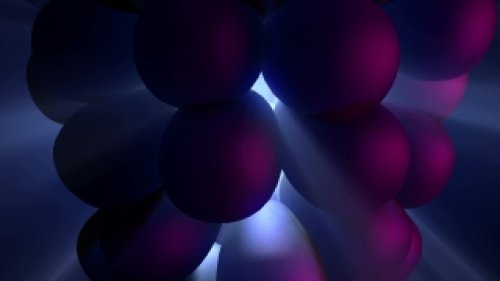
Introduction to Seamless VJ Loop Creation
In the dynamic world of live visuals, seamless VJ loops are essential for captivating audiences and enhancing the overall experience. These visually alluring loops can elevate any event, from concerts to corporate functions. As a VJ, the ability to create seamless loops not only showcases your creativity but also demonstrates your technical expertise. In 2026, the landscape of video editing and live performance continues to evolve, offering new tools and techniques to craft mesmerizing visuals. This article explores ten creative concepts that will inspire your next VJ loop creation, ensuring your visuals are as captivating as the music they accompany.
1. Exploring Abstract Geometry
Abstract geometry in VJ loops provides an exciting opportunity to experiment with shapes and forms, creating visually striking patterns that can loop seamlessly. By utilizing software like Adobe After Effects or Resolume, you can generate intricate geometric animations that captivate the audience's attention. Begin by creating a base shape—such as a triangle or a circle—and then manipulate it through various effects such as rotation, scaling, and color shifts. For instance, consider using the 'Repeater' effect in After Effects, which allows you to create multiple iterations of your shape, adjusting their position and orientation for a mesmerizing effect.
Furthermore, explore the use of fractals or algorithmic designs to add depth to your visuals. Tools like Mandelbulb 3D or Apophysis can help you create stunning fractal patterns that can be animated and looped seamlessly. The key to achieving a seamless loop is to ensure that the end frame matches the starting frame, allowing for a fluid transition that will keep your visuals engaging throughout the performance.
2. Nature-Inspired Visuals
Integrating nature-inspired visuals can evoke a myriad of emotions and create a serene ambiance for your audience. Consider using footage of flowing water, rustling leaves, or dynamic weather patterns as your base material. Tools like DaVinci Resolve and Adobe Premiere Pro can help you manipulate this footage, adding effects to enhance the visual experience. For example, you can apply color grading to emphasize the vibrancy of natural elements or use slow motion to create a dreamlike effect.
To create seamless loops from natural footage, focus on finding or creating clips that can blend into themselves. This might involve shooting continuous footage or editing existing clips to remove abrupt transitions. Using techniques like crossfading can help in achieving a smooth loop. Additionally, you can layer various elements—for instance, combining a video of flowing water with animated overlays of leaves—to create a multi-dimensional visual experience that keeps the audience engaged.
3. Motion Graphics and Typography
Incorporating motion graphics and typography into your VJ loops can add a unique touch to your visuals, particularly for branding or thematic performances. Using After Effects, you can animate text and graphics to create dynamic visuals that are both informative and entertaining. Consider using kinetic typography, where text moves in rhythm with the music, enhancing the overall impact of your performance.
To achieve seamless loops with motion graphics, ensure that the animations start and end at the same point. This might involve careful planning in your keyframes and transitions. Additionally, consider adding effects like glow or shadow to enhance visibility and engagement. Remember, the goal is to create a visual narrative that aligns with the music, effectively communicating your message while keeping the audience visually stimulated.
4. Utilizing 3D Elements
The incorporation of 3D elements into your VJ loops can elevate your visuals to new heights, providing depth and interest. Using software like Cinema 4D or Blender, you can create intricate 3D models and animations that can be rendered and integrated into your VJ loops. Experiment with different lighting sources and textures to create a unique atmosphere that complements the music.
When working with 3D elements, ensure that you export your models in a format compatible with your VJ software, such as OBJ or FBX. This allows for easy integration into programs like Resolume. Additionally, consider the use of camera movements to add dynamism to your loops. By animating the camera around your 3D elements, you can create immersive visuals that captivate your audience and enhance the overall experience.
5. Interactive Visuals
One of the most exciting trends in live visuals is the incorporation of interactivity. By using software like TouchDesigner or Isadora, you can create visuals that respond to audience movements or inputs. This not only engages the audience but also makes each performance unique. For example, you might set up a system where audience movements are tracked and translated into real-time visual effects, creating a feedback loop between performer and audience.
To implement interactive visuals, ensure that you have a solid understanding of the software and any necessary hardware, such as cameras or sensors. Consider creating a simple prototype before the main event to test the effectiveness of your interactive elements. The goal is to create a seamless connection between the visuals and the audience, making them feel like an integral part of the performance.
6. Combining Video with Live Performance
Integrating video content with live performances can create a powerful synergy that enhances the overall experience. Whether it's a band, DJ, or theater performance, the right visuals can elevate the event and keep the audience engaged. Consider collaborating with performers to create visuals that complement their style and enhance their message. This could involve creating loops that respond to their beats or visuals that tell a story parallel to their performance.
To achieve seamless integration, practice syncing your visuals with the live audio. Use software like Resolume, which allows for real-time video manipulation. Experiment with various effects, such as live mixing or adding filters based on the live sound input. The key is to create a cohesive experience that enhances the performance without overshadowing it.
7. Exploring Vintage and Retro Aesthetics
Vintage and retro aesthetics bring a nostalgia factor that can resonate deeply with audiences. By utilizing grainy textures, muted color palettes, and old film effects, you can create a unique visual style that stands out. Software like After Effects offers various plugins and effects that emulate vintage film, allowing you to apply these styles to your VJ loops easily.
When creating retro visuals, consider the type of event and audience to determine the appropriate vintage style. For example, a 70s disco theme might benefit from vibrant colors and psychedelic patterns, while a 90s rave might lean towards glitch effects and neon colors. Ensure that your loops are still seamless by carefully matching end and start frames, and don't hesitate to experiment with speed and movement to enhance the retro feel.
8. Incorporating Cultural Elements
Incorporating cultural elements into your VJ loops can add depth and meaning to your visuals. By drawing inspiration from different cultures, you can create an engaging narrative and visually rich experience. This might involve using traditional patterns, dances, or symbols as the basis for your designs. Tools like Photoshop can help you create these elements, which can then be animated in After Effects or Resolume.
When incorporating cultural elements, it's essential to respect their origins and meanings. Research thoroughly and consider collaborating with artists from those cultures to ensure authenticity. The goal is to create a seamless blend of visuals that educate and inspire while celebrating the richness of global cultures.
9. Experimental Techniques
Exploring experimental techniques can lead to groundbreaking visuals that capture the audience's attention. Techniques such as data moshing, glitch art, or generative visuals can create unique experiences that stand out in a crowded field. Software like Max/MSP can be used for generative art, allowing you to create visuals that evolve in real-time based on certain parameters.
When working with experimental techniques, be prepared for trial and error. Often, the most exciting results come from unexpected outcomes. Ensure you have a flexible workflow that allows you to adapt and iterate quickly. By embracing the unexpected, you can create truly innovative VJ loops that resonate with your audience.
10. Finalizing Your VJ Loops for Live Performance
Finalizing your VJ loops is a crucial step before any live performance. Ensure that your loops are optimized for performance, keeping in mind the software and hardware you will be using. Export your files in formats that balance quality and performance, such as H.264 for video files. Additionally, test your visuals in the actual venue to ensure compatibility with the venue's hardware and lighting.
It's also wise to have backups ready, both in terms of files and equipment. Consider having multiple versions of your loops in different resolutions to accommodate various setups. Finally, rehearsing with the music will help you synchronize your visuals perfectly with the performance, ensuring a seamless experience for your audience.
Conclusion
Creating seamless VJ loops is an art that combines creativity with technical skills. By exploring various concepts—from abstract geometry to interactive visuals—you can craft stunning live visuals that captivate your audience. As we move into 2026, the tools and techniques available to VJs continue to evolve, offering endless possibilities for creative expression. So, embrace these ideas, experiment with new techniques, and take your VJ loops to the next level!